


.webp)
October 24, 2026
|
5 min read


Blazingly fast way to build, track and deploy your models!
As teams scale AI agents across workflows and business functions, managing agent instructions quickly becomes an operational challenge.
The same workflows get rewritten across prompts. Shared logic drifts between agents. Operational knowledge becomes fragmented across teams and environments. And over time, maintaining consistency across agents becomes harder than building the agents themselves.
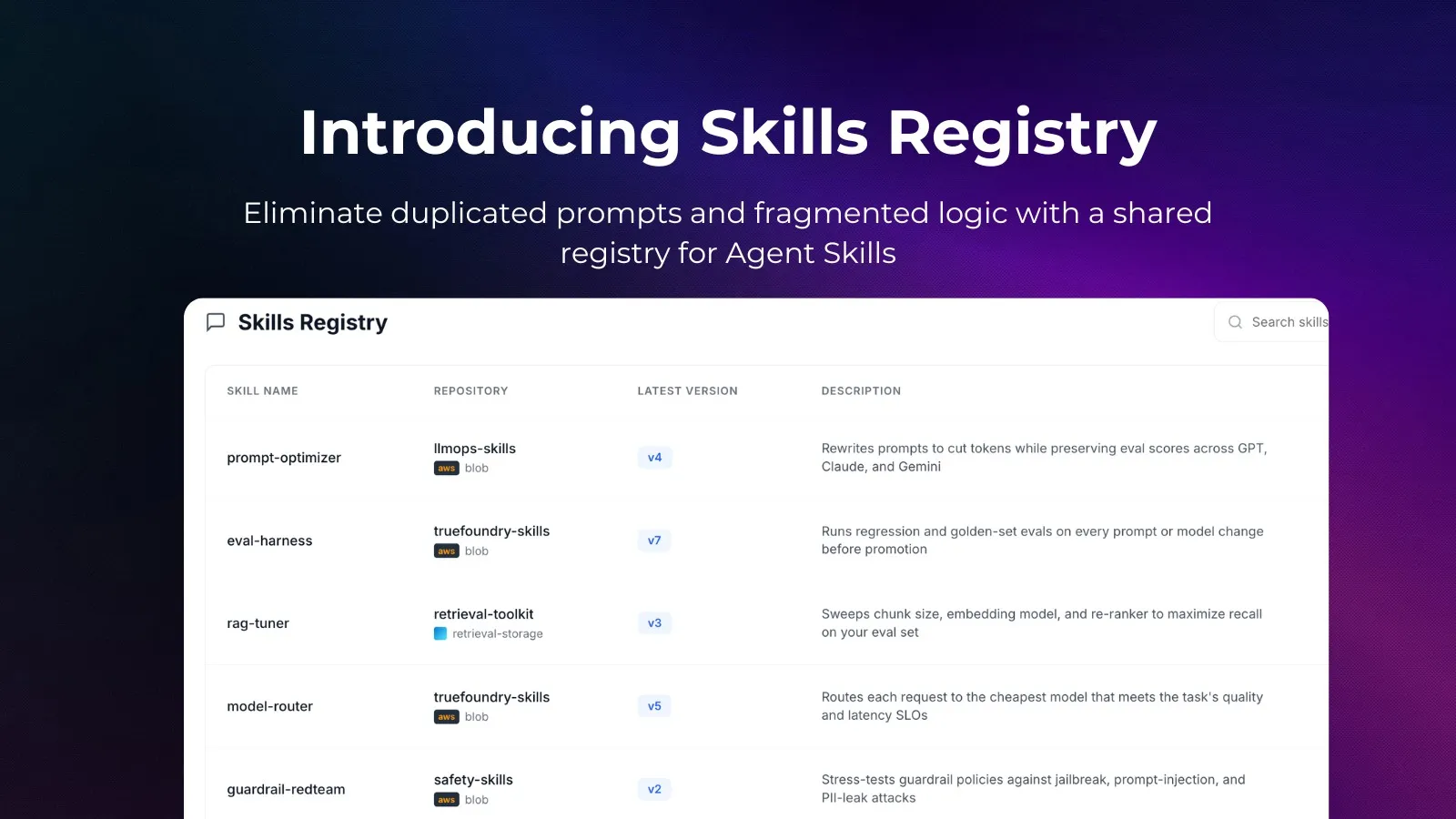
Today, we’re introducing Skills Registry in TrueFoundry AI Gateway — a centralized system for building, versioning, discovering, and reusing Agent Skills across your organization.
Skills Registry gives teams a way to package operational knowledge into reusable artifacts that can be discovered, governed, and attached to any agent in seconds.
Instead of treating agent behavior as prompt text scattered across systems, Skills Registry treats agent knowledge as a reusable, managed artifact that is portable, governed, and executable.
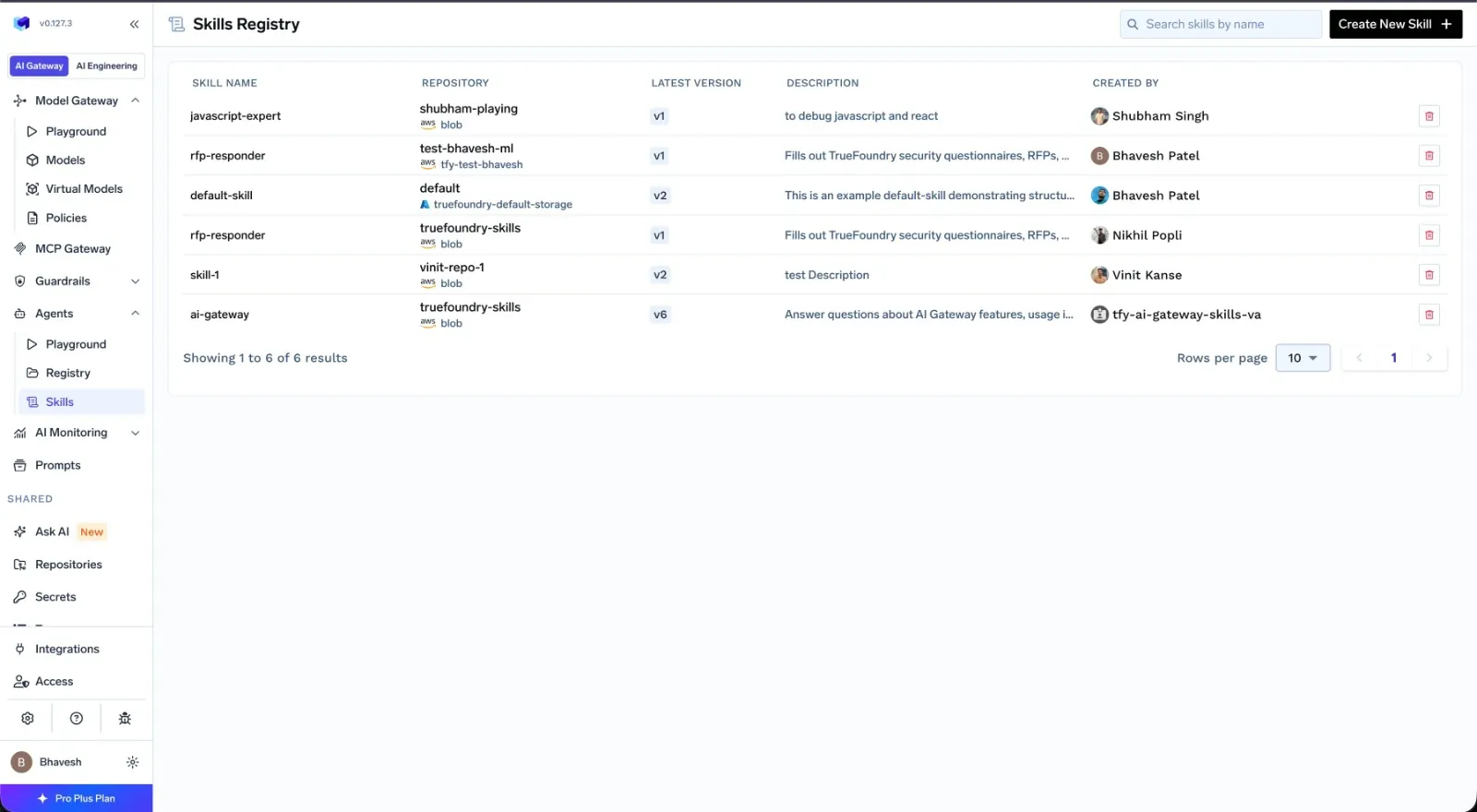
Most agent systems today rely heavily on large system prompts. That works initially, but becomes difficult to manage at scale.
Teams often end up copying instructions between prompts, manually syncing workflow changes across agents, and rebuilding the same operational logic repeatedly. Over time, prompts become harder to maintain, more expensive to run, and increasingly inconsistent.
Skills Registry solves this by turning agent knowledge into a reusable system instead of static prompt text.
One of the biggest advantages of an agent skill registry is portability. A Skill can be authored once and attached to any number of agents. Instead of rewriting the same instructions across multiple prompts, teams can maintain a single reusable Skill that stays consistent everywhere it is used. When the Skill is updated, connected agents automatically use the latest version.
This creates a much cleaner operational model for teams managing large numbers of agents.
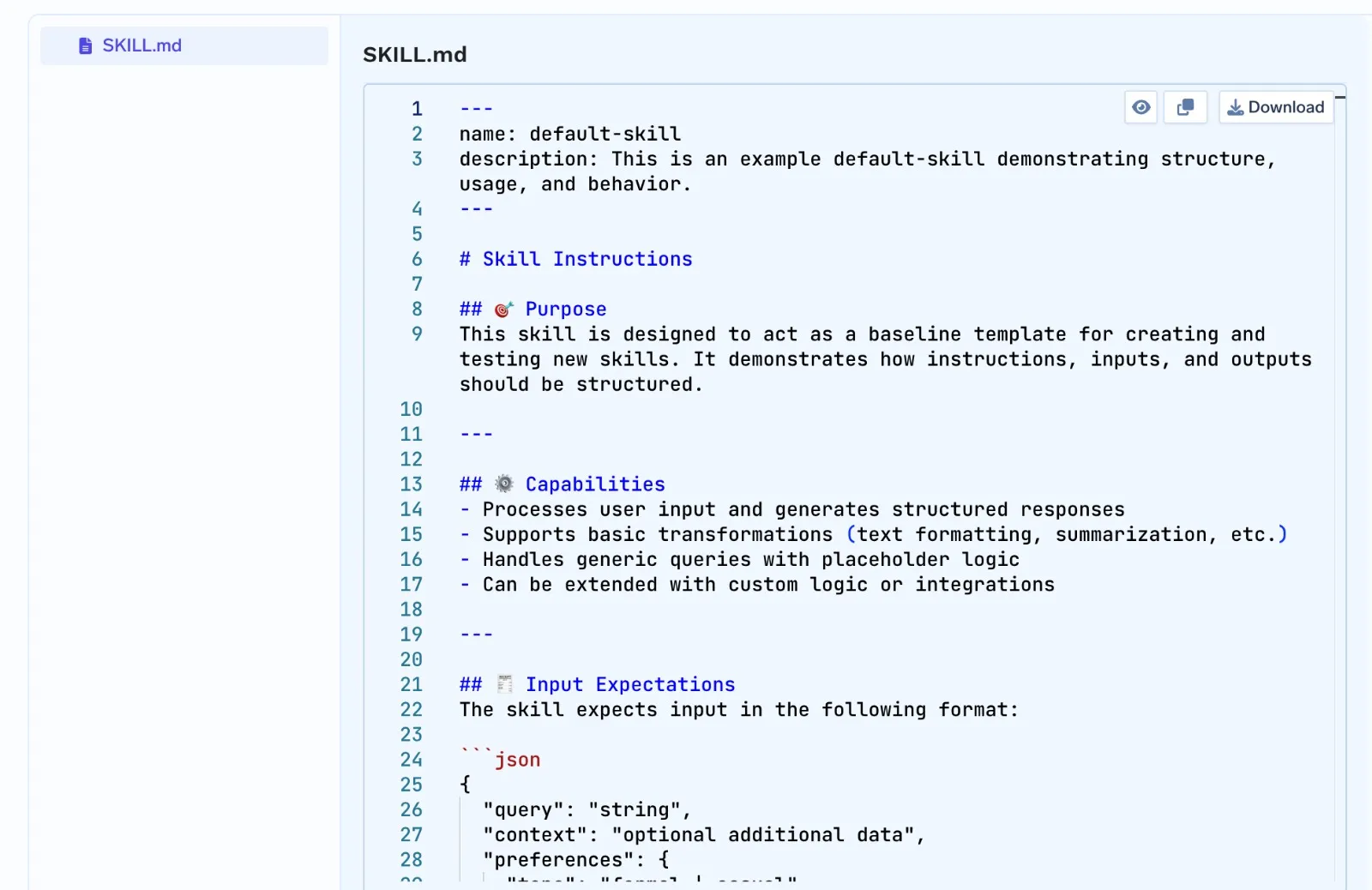
Traditional agent systems often load all instructions into the prompt upfront. That means agents carry large amounts of context even when much of it is never used. Skills Registry changes that model.
Agents initially load only lightweight Skill metadata, such as the Skill name and description. The full Skill content is fetched dynamically only when the Skill becomes relevant during execution. This keeps prompts smaller, reduces unnecessary context, and lowers token usage across repeated runs.
The cost impact becomes significant as teams scale agent usage. In many production systems, the same operational instructions, workflows, and reference material are repeatedly included in prompts across thousands of runs. Even when only a small portion of that context is relevant, the model still processes the entire prompt on every request.
With Skills Registry, agents only fetch detailed context when needed. Instead of permanently carrying large instructions inside memory, agents dynamically pull the right Skill at the right time.
For organizations running multiple agents across customer support, operations, internal tooling, analytics, or workflow automation, this can materially reduce inference costs while also improving prompt efficiency and reasoning quality.
Smaller prompts also make agent behavior easier to debug and maintain over time, since operational logic becomes modular instead of deeply embedded inside large system prompts.
Prompts alone are often not enough for production workflows. Many real-world tasks depend on reusable scripts, structured files, reference assets, and predefined execution logic.
Skills Registry allows teams to package more than just text instructions. A Skill can include Python scripts, batch and shell scripts, PDFs, DOCX files, images, and other supporting assets.
A centralized skill registry also makes these assets easier to discover, reuse, govern, and update across teams.
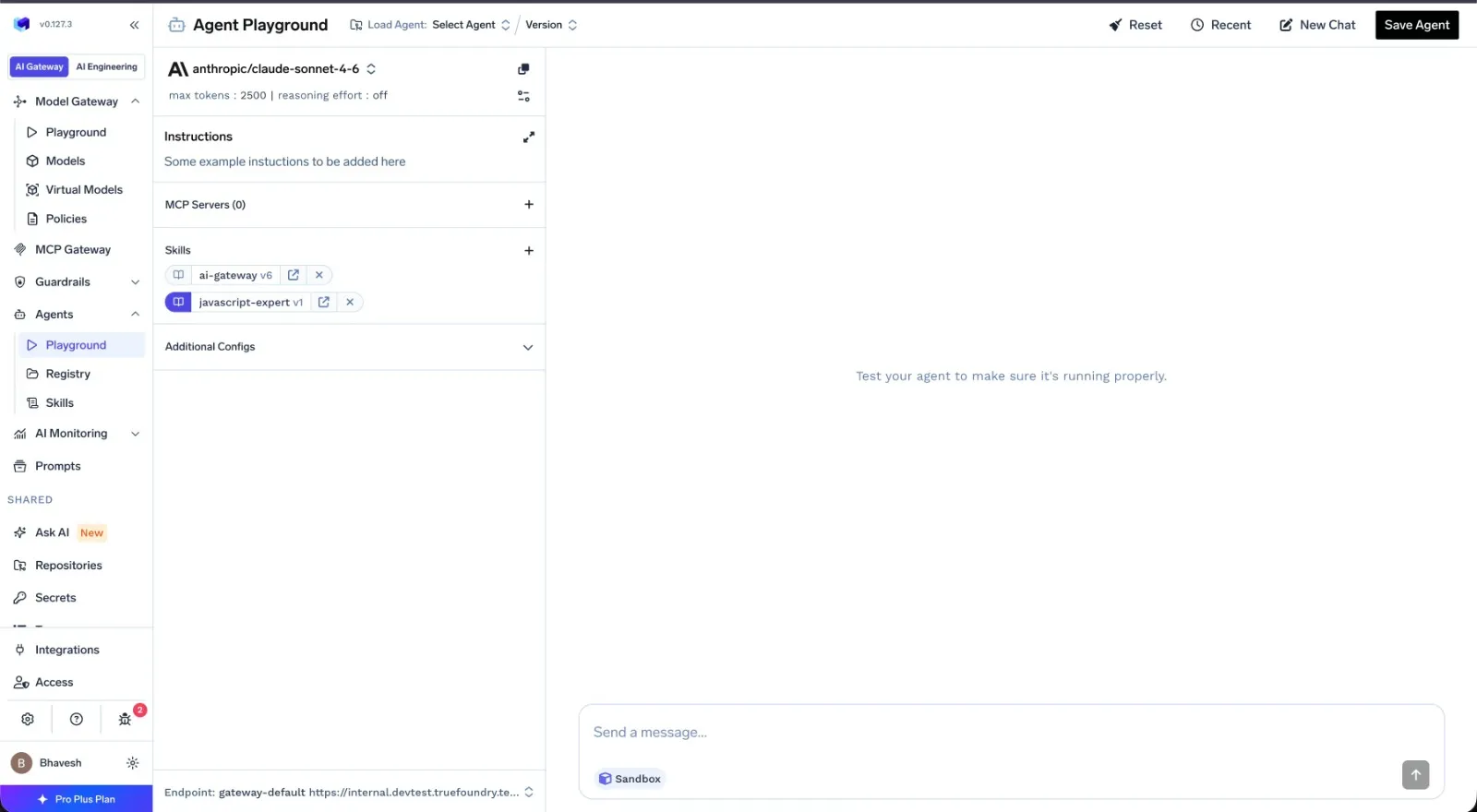
One of the most powerful capabilities enabled by Skills Registry is direct execution of attached assets. Because TrueFoundry agents have access to sandboxed execution environments, Skills can include reusable scripts and files that agents use directly during execution.
Instead of regenerating entire workflows from memory or rebuilding scripts dynamically from prompt context, agents can simply execute the attached assets already packaged inside the Skill.
In practice, this means the agent often only needs to generate the command for how to run the workflow. For structured operational tasks, this makes execution more reliable, reusable, and easier to maintain.
As teams scale AI agents across workflows and environments, prompt management quickly becomes a bottleneck. Skills Registry replaces duplicated prompt logic with reusable, governed Skills that agents can dynamically discover and load when needed — creating a centralized system for maintaining shared operational knowledge across the organization.
Skills are stored as versioned artifacts inside TrueFoundry Repositories
Teams get built-in version history, access control, auditability, and centralized governance out of the box. This makes it easier to manage shared agent behavior with the same operational discipline already used for infrastructure and ML artifacts.
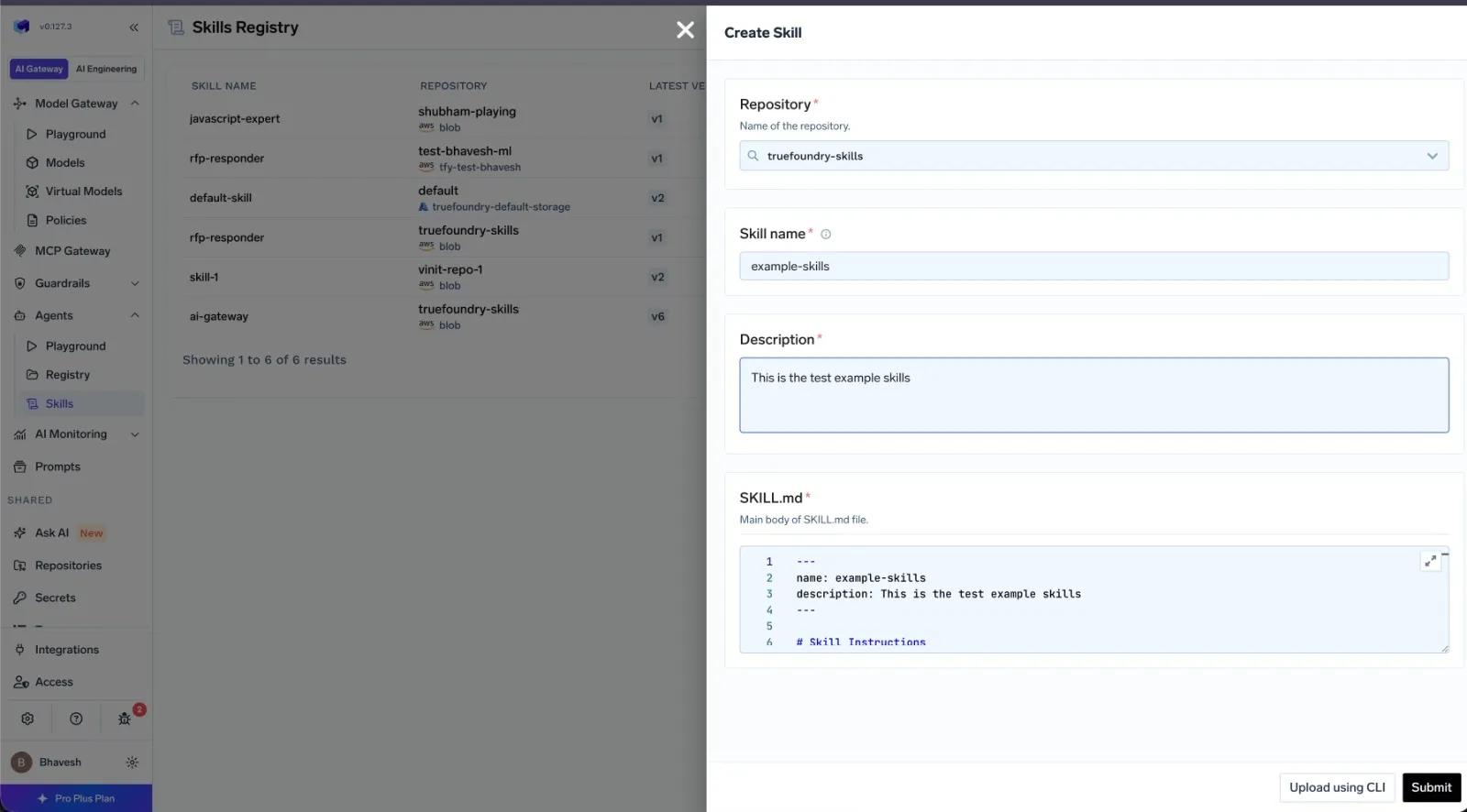
Teams can create simple Skills directly through the UI, upload multi-file Skills through the CLI, or manage Skills declaratively using tfy apply and CI/CD pipelines.
This allows Skills to integrate naturally into existing engineering workflows.
Skills Registry is available inside TrueFoundry AI Gateway.
Teams can create Skills directly from the UI, register Skills through the CLI, attach Skills to agents, and manage Skills declaratively using GitOps workflows.
To learn more, explore the Skills Registry documentation.
We’re excited to see what teams build with it!
TrueFoundry AI Gateway delivers ~3–4 ms latency, handles 350+ RPS on 1 vCPU, scales horizontally with ease, and is production-ready, while LiteLLM suffers from high latency, struggles beyond moderate RPS, lacks built-in scaling, and is best for light or prototype workloads.




In TrueFoundry, a Skill is a reusable package of instructions, scripts, documents, and supporting assets that defines how an agent should perform a task. Skills can be attached across multiple agents instead of duplicating logic inside prompts.
System prompts are plain text loaded into context upfront. TrueFoundry Skills support scripts, documents, images, and other attached assets, and can dynamically load full context only when needed during execution.
A Skills Registry focuses on reusable operational knowledge and execution assets for AI agents, while a Local MCP Server Registry primarily manages tool and server integrations exposed through the Model Context Protocol (MCP). Skills Registry manages reusable workflows and agent behavior, whereas MCP registries manage available external tools and services.
TrueFoundry Skills Registry solves several operational challenges in production AI systems, including duplicated prompts, fragmented operational knowledge, inconsistent agent behavior, poor governance, excessive token usage, and difficulty scaling reusable workflows across teams. It provides centralized management, versioning, discoverability, governance, and reusable execution for agent capabilities.es, reference documents, and other supporting assets that agents can access during execution.
TrueFoundry agents initially load only lightweight Skill metadata and fetch the full Skill content only when relevant at runtime, reducing unnecessary prompt context and token usage across repeated runs.
Teams can create Skills through the TrueFoundry UI, upload multi-file Skills through the CLI, or manage them declaratively with tfy apply workflows and CI/CD pipelines. Skills are versioned artifacts with built-in access control and auditability, and can be reused across multiple agents.
Yes. TrueFoundry AI Gateway includes enterprise-grade controls such as:
These capabilities extend to Skills Registry workflows and agent operations.
You can explore the official documentation here:



The latest news, articles, and resources sent to your inbox

.webp)

.png)
.png)
.png)
.png)
.png)
.png)
.png)
.png)
.png)

.png)
.png)


